Buying a Ledger or a Trezor is the beginning of a self-custody security process, not the finish line. Every week, I hear from devastated investors who kept their private keys completely offline on a hardware device and still watched their entire life savings vanish in less than ten seconds. A hardware wallet can protect your cryptographic keys inside a tamper-resistant chip while you unknowingly sign a malicious smart contract permission that hands a thief full authority to empty your balance. Even worse, if an attacker intercepts your recovery phrase during setup or reconstructs your seed from flawed randomness, the physical device sitting safely in your desk drawer becomes completely irrelevant.
After 25 years in traditional banking, I have zero patience for the retail marketing myth that a single gadget eliminates financial risk. Commercial banks never rely on one magic box to protect client funds: we separate physical vault custody, payment authorization, counterparty fraud detection, and settlement clearing rails because those are four completely different jobs. Retail crypto users routinely buy one pocket-sized USB signer and assume it performs all four functions automatically.
It does not, and misunderstanding that boundary is how fortunes get wiped out. A hardware wallet is strictly a cryptographic signing tool, not an automated anti-fraud department or a smart contract auditor. Two massive 2026 security failures, the October 2026 Ledger supply-chain hardware implant attack and the July 2026 Coldcard seed-generation exploit, prove beyond a shadow of a doubt that cold storage alone cannot save you from a compromised supply chain, broken randomness, or a reckless signature.
What a Hardware Wallet Actually Protects (And What It Never Could)
A hardware wallet protects the cryptographic authority to spend your crypto, not the tokens themselves. Your coins never live inside the plastic casing of a Ledger or Trezor; your balances exist purely as state entries and spending conditions on public blockchains, as I explain in my breakdown of where your crypto actually lives across exchanges and self-custody wallets. What the physical device actually holds is the root cryptographic material used to derive private keys and generate mathematical signatures. When you plug your device into a laptop or connect it to a phone via Bluetooth, the hardware wallet acts as an isolated customs checkpoint between your internet-connected screen and your private keys.
In a standard transaction flow, your computer or mobile wallet app drafts an unsigned transaction request and sends it over the cable to the hardware signer. The device displays the proposed transaction details on its small physical screen, waits for you to press the confirmation buttons, signs the payload internally using the private key stored inside its chip, and sends only the finished digital signature back to the computer for broadcast. Because the raw private key never leaves the hardware module, malware lurking on your laptop cannot simply copy your key out of browser memory the way it steals keys from a hot software extension.
That architectural isolation is a massive upgrade over keeping six-figure balances inside a daily browser wallet, yet it leaves two enormous vulnerabilities wide open. First, protecting a key from extraction and protecting your judgment when using that key are two completely separate problems: if a phishing site tricks you into approving a toxic instruction, your hardware wallet will dutifully generate a 100 percent valid signature for a financially fatal transaction. Second, your 12-word or 24-word recovery backup bypasses the physical device entirely. Your PIN code only unlocks that specific piece of plastic in your hand, which means anyone who captures or reconstructs your seed phrase can import your entire wallet onto a separate device halfway across the world without ever touching your hardware.
How Blind Signing Drains a Ledger or Trezor in Five Seconds
Blind signing means pressing the physical confirmation buttons on your hardware wallet to approve a smart contract instruction that the device screen cannot display in plain English. While your computer browser might show a polished green button reading “Claim Airdrop Rewards” or “Verify Wallet Eligibility,” your hardware wallet screen displays an unreadable string of hexadecimal characters, an opaque contract hash, or a generic “Data Present” notice. The moment you approve that unreadable prompt, you throw away the core security guarantee of hardware custody because you are blindly trusting the infected computer screen or fraudulent website that the hardware wallet was supposed to verify.
Modern wallet drainers are engineered specifically to exploit this habit, which is why malicious permission phishing remains one of the deadliest traps I analyze in my guide to 27 common crypto scams and how wallet drainers operate under the hood. According to Scam Sniffer’s 2025 crypto phishing report, wallet-drainer campaigns stole USD 83.85 million across Ethereum Virtual Machine (EVM) networks in 2025 alone by tricking users into signing away control of their tokens. The attacker never needs to crack your hardware chip or guess your seed phrase when they can simply persuade you to press “Approve” with your own thumb.
The “Free Claim” That Quietly Grants a Standing Debit Mandate
Imagine you hold 50,000 USDT in an Ethereum or Tron account secured by a Ledger or Trezor, and you click a promoted link announcing a protocol migration or reward claim. On the surface, the web interface looks identical to a blue-chip decentralized exchange or lending platform. Underneath the friendly website graphics, however, the application feeds your wallet an approve or increaseAllowance smart contract call that grants an attacker-controlled address unlimited authority to pull USDT out of your account.
From the moment you connect your device, the drain unfolds in five predictable steps:
- The Bait: A fraudulent or compromised web frontend prompts you to claim a reward, revoke a fake risk, migrate tokens, or complete a security check.
- The Hidden Payload: Instead of generating a reward claim, the website sends your wallet an on-chain token approval, an NFT operator approval (
setApprovalForAll), or an account-ownership modification. - The Blind Approval: Because the contract is unverified or disguised, you click through the unreadable contract data on your hardware screen without verifying the actual function and spender address.
- The Automated Sweep: Seconds after your approval confirms on-chain, the attacker’s automated bot calls
transferFromusing its own private key and drains your entire token balance. - The Persistent Trap: Unplugging your Ledger or Trezor and locking it in a safe does nothing to stop the theft, nor does it cancel the standing allowance if you deposit more of that token into the same address later.
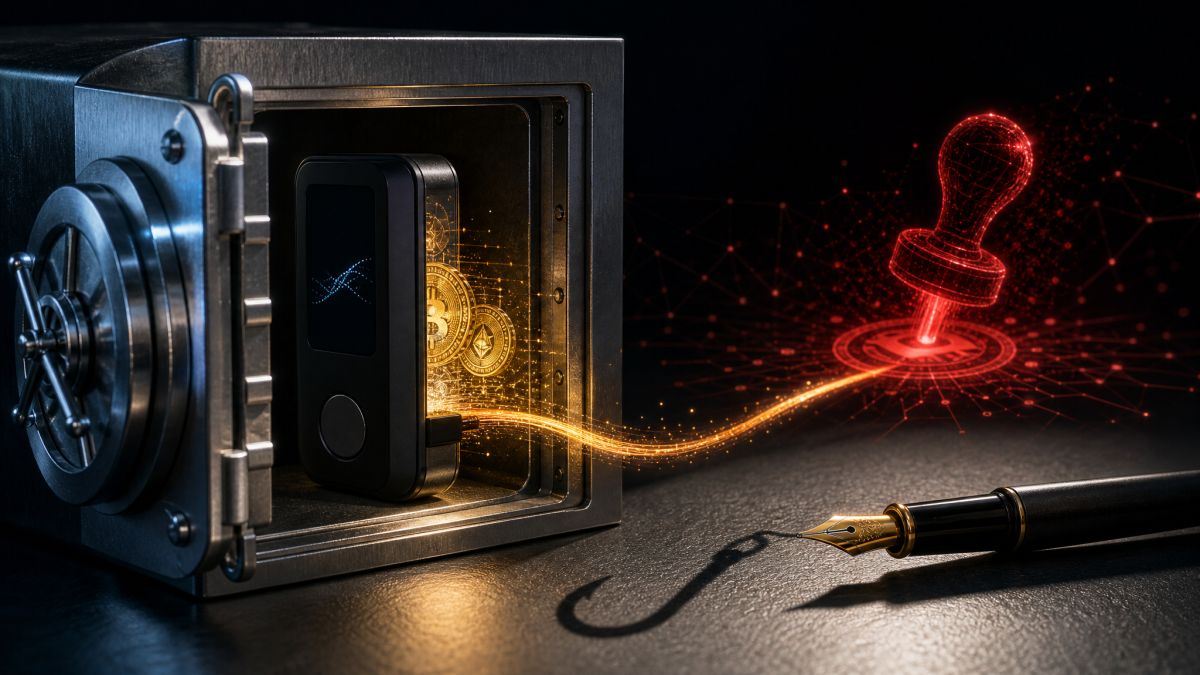
In traditional banking, this is the exact equivalent of signing an uncapped Automated Clearing House (ACH) standing debit mandate in favor of a shell company. Once you sign the paper mandate and file it with the clearinghouse, locking your fountain pen inside a steel vault does not stop the vendor from debiting your checking account next Tuesday. While a standard ERC-20 approval only exposes that specific token on that specific blockchain rather than your native Bitcoin or other networks, attackers routinely bundle multiple signature prompts to strip an account clean from top to bottom.
Why a “Gasless” Signature Can Still Empty Your Portfolio
Retail users frequently fall into a second trap by assuming that a signature request is harmless as long as it does not charge a network gas fee. Through standards such as EIP-2612 permit messages and Uniswap’s Permit2 contract, many modern tokens allow you to authorize spending through an off-chain cryptographic message (often structured via EIP-712 typed data) rather than an immediate on-chain transaction. You sign the message for free on your hardware device, hand that signed slip of paper to the website, and the attacker’s server broadcasts it to the blockchain Seconds later, paying the few cents of gas required to execute the permit and sweep your tokens.
In Ledger’s official Connect Kit security incident report, researchers documented how drainer kits automatically scan a victim’s wallet balances and dynamically serve Permit and Permit2 signature requests alongside standard token approvals and fake native-asset transfers. Because both a harmless website login and an off-chain spending permit appear behind a “Sign Message” prompt, treating gasless signatures casually is financial suicide. A cryptographic signature is a legally binding execution order on a blockchain, regardless of who pays the postage stamp to mail it.
Clear Signing Protects You Only When It Is Active and You Actually Read It
To close the blind-signing gap, both major hardware manufacturers now rally around an open Ethereum metadata standard known as ERC-7730, commonly called Clear Signing. Instead of displaying raw hexadecimal gibberish, a compatible wallet uses verified contract descriptors to translate the proposed call into plain human language on the hardware screen itself, showing the exact action, token ticker, amount, and recipient or spender address. As detailed in Ledger’s guide to avoiding blind signing, the entire goal is ensuring that your tamper-resistant hardware display, rather than your malware-exposed laptop monitor, serves as the final source of truth.
However, as Trezor’s Clear Signing technical documentation explicitly warns users, Clear Signing coverage is registry-based rather than universal. Major protocols listed in the registry decode cleanly on updated firmware, while obscure, newly deployed, or malicious contracts still fall back to raw blind signing. Even more importantly, Clear Signing cannot read for you: if your hardware screen clearly displays “Approve unlimited USDT to spender 0x8f3a…” while a phishing website claims you are minting a free NFT, pressing the confirm button will still cost you every dollar in that token balance.
The October 2026 Ledger Supply-Chain Attack: Genuine Chips, Hidden Implants
The October 2026 Ledger supply-chain attack bypassed cold storage entirely by planting miniature hardware implants inside genuine devices to steal 24-word recovery phrases during initial setup. For years, hardware wallet veterans preached a comforting dogma: as long as you never type your seed phrase into a phishing website and your device passes its cryptographic authenticity check, your seed cannot leave the hardware. This incident shattered that assumption by attacking the physical retail distribution channel after genuine devices left the factory.
In its October 15, 2026 response to the hardware-implant attack, Ledger confirmed that an organized criminal group purchased genuine Ledger devices, carefully opened the enclosures, soldered covert spying modules inside, resealed the packaging, and injected the modified units back into retail circulation through resellers in Southeast Asia. The compromise did not breach Ledger’s internal servers, operating system, or cryptographic chip design; instead, it poisoned the secondary merchant supply chain, centering heavily on devices sold through an authorized regional reseller named CryptoBilis.
According to Halborn’s technical breakdown of the October 2026 Ledger supply-chain implant, the attackers attached a tiny secondary circuit board directly to the internal display communication lines inside the wallet casing. When an unsuspecting buyer unboxed their new device and generated a fresh wallet, the implant passively recorded the screen output as the 24 recovery words were displayed and silently transmitted the stolen phrase to the attackers via an embedded cellular connection. As tracked in Bitquery’s on-chain investigation of the Ledger CryptoBilis hack, the attackers waited patiently for victims to fund their wallets and then drained approximately USD 102 million across 335 wallets on six blockchains, including a single automated batch that swept USD 29 million in Tron USDT within six seconds.
Why Ledger’s Genuine Check Failed to Catch the Implant
For everyday self-custody practitioners, the most sobering detail of the October 2026 heist is that the compromised wallets passed Ledger’s official software verification without raising a single alarm. As acknowledged in Ledger’s official documentation on the Genuine Check and buying best practices, the cryptographic check executed by Ledger Wallet verifies the identity of the internal Secure Element chip through a challenge-response signature. Crucially, Ledger notes that this cryptographic check cannot detect physical spying implants soldered onto surrounding components when the original Secure Element remains untouched.
Think of it like an armored-car cash delivery: verifying the cryptographic badge of the vault guard inside the bank does not tell you whether someone mounted a hidden pinhole camera on the ceiling directly above the combination dial. Following the breach, Ledger tightened rules across its reseller network, prohibiting the resale of returned units and banning retail display stock. Still, the takeaway for every investor is unmistakable: an authorized-reseller badge and a green “Genuine” checkmark verify the silicon chip, not the physical integrity of a package that passed through third-party hands. If you ever initialized a device bought through an implicated reseller channel, buying a clean wallet and restoring the old 24 words onto it will not save you, because the attackers already hold a copy of that seed and you must move every asset to a freshly generated seed immediately.
The December 2023 Ledger Connect Kit Exploit Crossed a Different Boundary
Unlike the 2026 physical implant heist, the December 2023 Ledger Connect Kit attack compromised a shared software library in the cloud to serve malicious blind-signing prompts across legitimate DeFi websites. I always separate these two case studies for my readers because they demonstrate how an attacker can target either end of the hardware-wallet lifecycle: physical setup at the beginning, or daily web interactions months later.
On December 14, 2023, an attacker phished a former Ledger employee whose npm publishing credentials had not been properly revoked and pushed malicious code updates to the Ledger Connect Kit JavaScript library. Because dozens of decentralized applications pulled that library directly from a content delivery network to handle wallet connections, their legitimate frontends suddenly began displaying fake modal pop-ups containing wallet-draining signature requests.
As documented in Blockaid’s technical report on the Ledger Connect Kit attack, the poisoned code impacted more than 100 legitimate Web3 application frontends simultaneously and targeted users regardless of which wallet brand they owned. Even if you bought your Ledger or Trezor straight from the factory floor in Paris or Prague and generated an air-tight seed phrase, visiting a trusted DeFi protocol during that two-hour window exposed you to a live drainer prompt. Provenance protects your hardware during unboxing; strict signature discipline protects your balance every day after that.
The July 2026 Coldcard Hack: Offline Seeds Built on Broken Randomness
Keeping a hardware wallet 100 percent air-gapped cannot protect your Bitcoin if the device generates your recovery phrase using predictable randomness that an attacker can reproduce on their own computer. That terrifying reality played out starting on July 30, 2026, when longtime Coldcard users watched their cold-storage Bitcoin vaults empty out despite never connecting their devices to a computer or exposing their seed words to a camera.
Every hierarchical deterministic wallet relies on unguessable initial randomness, known as entropy, to construct the 12 or 24 words of a BIP-39 recovery phrase, a mechanism I cover in detail in my analysis of why seed phrases remain a costly UX anti-pattern in self-custody wallets. According to Block’s Bitcoin Engineering and Security root-cause analysis, an integration flaw in affected Coldcard firmware releases caused the seed-generation process to bypass the dedicated hardware true random number generator and fall back to a deterministic software routine seeded with vastly reduced entropy. In plain financial terms, instead of picking a vault combination from an astronomically large universe of possibilities, affected devices were picking combinations from a tiny, predictable pool.
In its August 5, 2026 investigation of the USD 116 million Coldcard exploit, blockchain intelligence firm TRM Labs reported that effective key strength dropped to roughly 40 bits on older affected devices, allowing attackers to systematically enumerate and reconstruct victim seeds offline and sweep roughly 1,816 BTC from more than 5,200 addresses. Because the attackers generated the exact same private keys on their own high-speed servers, the victims’ physical Coldcard devices remained untouched inside home safes while their funds were broadcast away on the Bitcoin network.
Why Updating Firmware Alone Does Not Fix a Vulnerable Seed
One of the most dangerous mistakes I saw investors make after the July 2026 disclosures was installing the patched Coldcard firmware and assuming their existing Bitcoin balance was now safe. Updating device firmware only fixes how the hardware generates future seeds; it cannot retroactively inject missing randomness into a recovery phrase that was already created months or years ago under broken code. As outlined in Coinkite’s official Coldcard seed-generation security advisory, the vulnerability spans seeds generated on specific older Mk2 and Mk3 firmware versions as well as Mk4, Mk5, and Q devices running unpatched releases prior to the July 2026 fixes.
To secure affected holdings, you must check your device’s history against Coinkite’s live firmware security status page and follow Coinkite’s official seed-migration procedure to generate a brand-new seed on verified firmware and execute an on-chain transaction moving every satoshi to the new wallet. The only narrow technical exception identified in the advisory applies to users who mixed at least 50 fair, independent physical dice rolls into their seed creation through the proper workflow, though even users protected by a strong custom BIP-39 passphrase are still advised to migrate their funds to a freshly generated seed.
My Hardware Wallet Security Protocol: How I Protect the Entire Chain
True self-custody security requires defending five distinct layers simultaneously: hardware provenance, high-entropy key generation, strict signature verification, wallet compartmentalization, and regular permission audits. Treating a hardware purchase receipt as a permanent shield violates the most basic rule of risk management. Here are the exact operational controls I enforce for my own holdings.
1. Buy Direct From the Manufacturer and Authenticate the Hardware
Whenever possible, order your hardware wallet directly from the manufacturer’s official web store rather than chasing discounts on third-party marketplaces or regional reseller storefronts. If shipping constraints force you to use a local partner, verify their current status directly on Trezor’s official authorized reseller directory or Ledger’s official partner list rather than trusting a logo pasted onto an e-commerce listing.
Before you ever generate a wallet, inspect the physical packaging and run every hardware authentication check built into your specific model. As explained in Trezor’s official device safety and packaging checklist, genuine Trezor units feature tamper-evident holographic seals and always ship from the factory without firmware installed; if you plug in a “new” Trezor and firmware is already loaded, or if any box includes a pre-printed recovery phrase card with words already filled in, stop immediately. Furthermore, verify the cryptographic silicon using Trezor’s Secure Element device authentication check, which validates the OPTIGA Trust M chip on Trezor Safe 3 and Safe 5 models and coordinates dual-chip verification across both the auditable TROPIC01 and OPTIGA Trust M secure elements (upgraded in May 2026 with post-quantum ML-DSA signature verification) on the Trezor Safe 7.
2. Never Import an Old Software Seed Into a New Hardware Wallet
When people upgrade from a browser extension like MetaMask or Phantom to a Ledger or Trezor, they frequently take a lazy shortcut by importing their existing 12-word software recovery phrase onto the new hardware device so they do not have to move their tokens. Doing that defeats half the purpose of buying hardware. If your old recovery phrase ever sat in computer memory on an internet-connected laptop, was copied to a clipboard, or was backed up in a cloud note, importing it into a Secure Element chip does not erase copies that malware may have already stolen.
Always initialize a new hardware wallet by generating a completely fresh seed offline on the device (after updating to the latest verified firmware), and consider adding at least 50 to 100 physical casino-grade dice rolls if your device supports user-supplied entropy. Likewise, when connecting your hardware signer to a third-party browser interface, always use the application’s dedicated “Connect Hardware Wallet” button; never type your hardware wallet’s 24 words into a software prompt claiming to “synchronize” or “calibrate” your device.
3. Segregate Your Cold Vault From Your Daily DeFi Operating Account
In corporate banking, no sane treasurer wires a USD 20 million capital reserve out of the same checking account used to pay daily vendor invoices and cafeteria expenses. You should enforce that exact same firewall in crypto by splitting your holdings across distinct functional tiers:
- The Cold Reserve Vault: Holds long-term savings (Bitcoin, Ether, core stablecoin reserves) under a dedicated seed phrase that never connects to decentralized applications, never claims airdrops, and only signs verified transfers to known addresses.
- The Warm Operating Wallet: Holds a strictly capped working balance used for established DeFi protocols, swaps, and staking, ideally protected by a separate hardware wallet or an independent seed branch.
- The Disposable Burner Wallet: Holds tiny experimental balances for minting unfamiliar tokens, testing new bridges, or claiming promotional drops.
Pay close attention to how those tiers are constructed under the hood: creating “Account 1” and “Account 2” inside the same Ledger or Trezor interface isolates your on-chain token approvals (because each address has its own blockchain permissions), but both addresses still share the exact same root recovery phrase. If that single seed is compromised by a physical implant or an entropy bug, every account derived from it falls together. True vault isolation requires an independent seed phrase, or better yet, a multi-vendor multisignature setup (such as combining a Trezor, a Coldcard, and a third independent key) where no single manufacturer flaw or supply-chain implant can compromise a majority of signatures.
4. Audit and Revoke Permissions Across Both Ethereum and Tron
Because retail stablecoin activity is split heavily between Ethereum (and its Layer 2 networks) and Tron, an Ethereum-only security routine leaves a massive blind spot in your portfolio. As I detail in my guide on why disconnecting a wallet app never revokes on-chain smart contract access, clicking “Disconnect” on a website only closes your browser session while leaving the smart contract’s spending allowance 100 percent active on the blockchain ledger.
On Ethereum and EVM chains, run a routine check using Etherscan’s token approval checker and follow Ethereum’s official guide to revoking token access to overwrite old, unlimited spender allowances back to zero. If you hold USDT on Tron, open your address in Tronscan and inspect two separate tabs: TRC-20 Token Approvals and Account Permissions. During the October 2026 drains, attackers did not just use TRC-20 approve calls; they also tricked victims or used stolen keys to modify Tron’s native Owner and Active account permissions, handing multisig control of the victim’s entire Tron address to the attacker’s wallet while leaving the victim unable to move their own remaining funds.
Emergency Triage: What to Do If You Just Signed Something Suspicious
Your emergency response depends entirely on whether the attacker obtained a single contract permission, account-level ownership authority, or your underlying recovery phrase. Panicking and unplugging your hardware device accomplishes nothing, and restoring a compromised seed onto a second device wastes critical minutes while automated scripts empty your balances.
If you suspect you just blind-signed a malicious token approval or Permit2 message on a phishing site, your seed phrase itself is still intact, which means only the specific address and network you used are exposed. Immediately open a trusted approval inspector on a clean session and submit a revocation transaction setting that spender’s allowance to zero, or use your hardware wallet to transfer the threatened tokens out of that address to a clean reserve address before the drainer executes. Keep native gas tokens (ETH, TRX, BNB, or SOL) in your wallet at all times so you are never stuck unable to pay the network fee for an emergency revocation or evacuation transfer.
If, however, your recovery phrase was exposed, your device came from a compromised reseller batch like the October 2026 Ledger incident, or your seed was created on vulnerable Coldcard firmware, revoking token approvals is useless because the attacker can sign transactions directly as you. You must immediately initialize an uncompromised wallet with a brand-new seed phrase and sweep every single asset across every blockchain out of the old addresses. Because blockchain immutability offers no built-in undo button, speed and clean key isolation are your only real defenses once signing authority is breached.
The Real Myth Is That a Piece of Plastic Replaces Financial Discipline
A hardware wallet remains an indispensable tool in my financial toolkit, and I would never hold meaningful self-custody balances without one. Yet the events of 2026 have permanently buried the lazy narrative that buying a Ledger, Trezor, or Coldcard makes you invincible. The Ledger supply-chain implant proved that a genuine Secure Element chip cannot see a hardware bug soldered onto the screen next to it. The Coldcard firmware exploit proved that air-gapped cold storage fails when the underlying math lacks true randomness. And daily blind-signing drains prove that the strongest vault door in the world is useless when the owner personally signs a standing withdrawal slip for a thief.
After a quarter-century in banking, I treat a hardware wallet the exact same way I treat an institutional corporate signing token: as one vital link inside a much larger internal control system. Buy your hardware straight from the source, verify its silicon and firmware, generate high-entropy keys that never touch daily DeFi clutter, refuse to blind-sign unreadable contract data, and audit your on-chain permissions on both Ethereum and Tron. Cold keys never make a reckless signature safe, and a brand-name box never replaces a disciplined security process.
Sponsored Partner: Volet.com
Looking for a simple, everyday way to buy, hold, and sell cryptocurrencies alongside your traditional currencies and payment cards?
- Read my full breakdown: Complete Volet Review on DoraMilen.com
- Get started right away: Open your free Volet account using my referral link